
A recurring pattern: the vendor issues the invoice, the company tries to record it, and the process fails or ends up with differences. Very often the cause is a 0% tax that appears on the invoice but is not configured in Odoo.
Zero-rated is not the same as exempt
In Mexico, a zero-rated (0% VAT) transaction and an exempt transaction are reported differently, even though neither charges tax. In Odoo's Mexican localization they are distinguished by the factor type: "Tasa" for 0% and "Exento" for exempt. If only one of them exists, the bill lands in the wrong one and the tax return reports the base under the wrong classification.
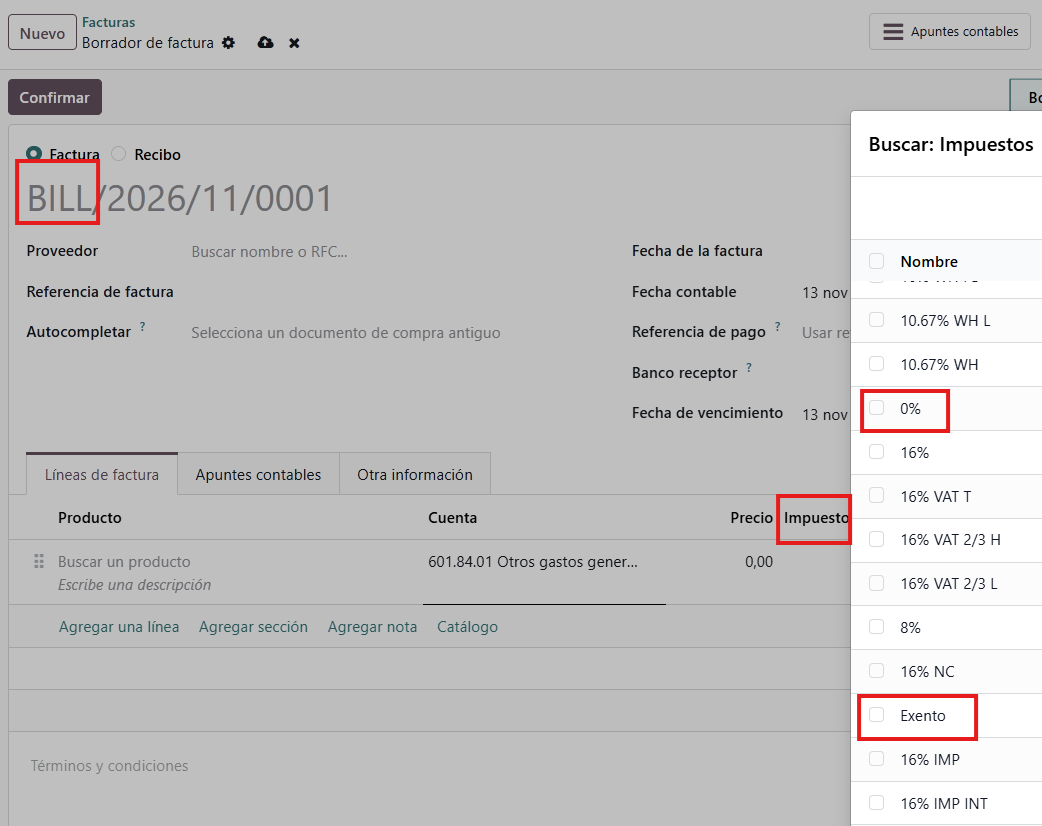
How to spot it
If loading a vendor's CFDI (Mexican electronic invoice) throws a "tax not found" error, or the total does not match the document, check your active purchase taxes first. Fix the configuration before touching the bill, because the next invoice from the same vendor will fail the same way.
Payment complements and advance payments
Two more cases cause confusion. Payment complements are not vendor bills: they are linked to the original invoice and support the payment. Advance payments follow their own procedure (the invoice for the advance and its application through a related CFDI), and you need to check how your process records them so the vendor balance is correct.
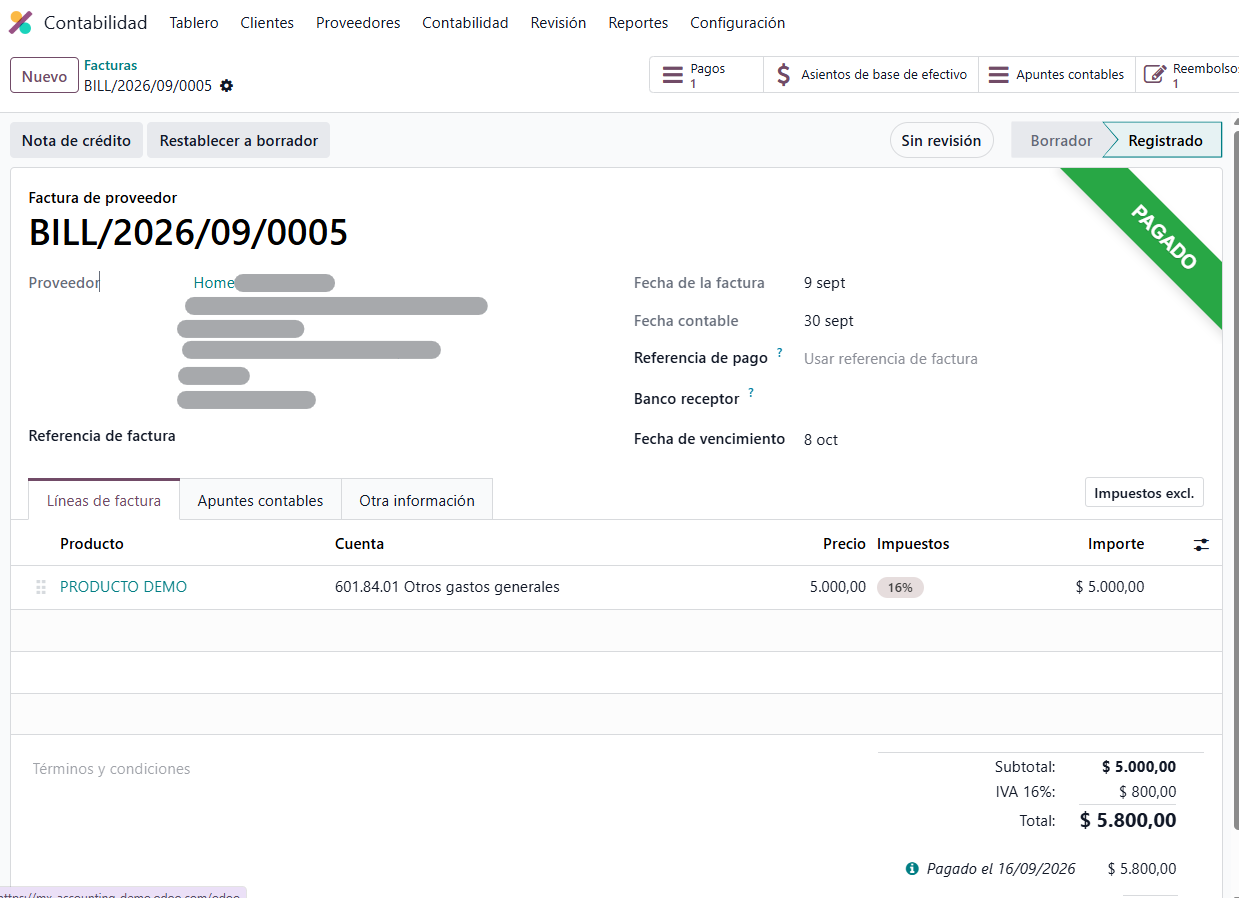
Quick review
0% and exempt purchase taxes configured separately.
An account assigned to each tax.
A test with a real CFDI from a regular vendor before going live.
A clear criterion for payment complements and advance payments.
One configuration fix prevents weeks of stuck invoices. If your team is already seeing these rejections, let's review your tax list before you keep entering bills.